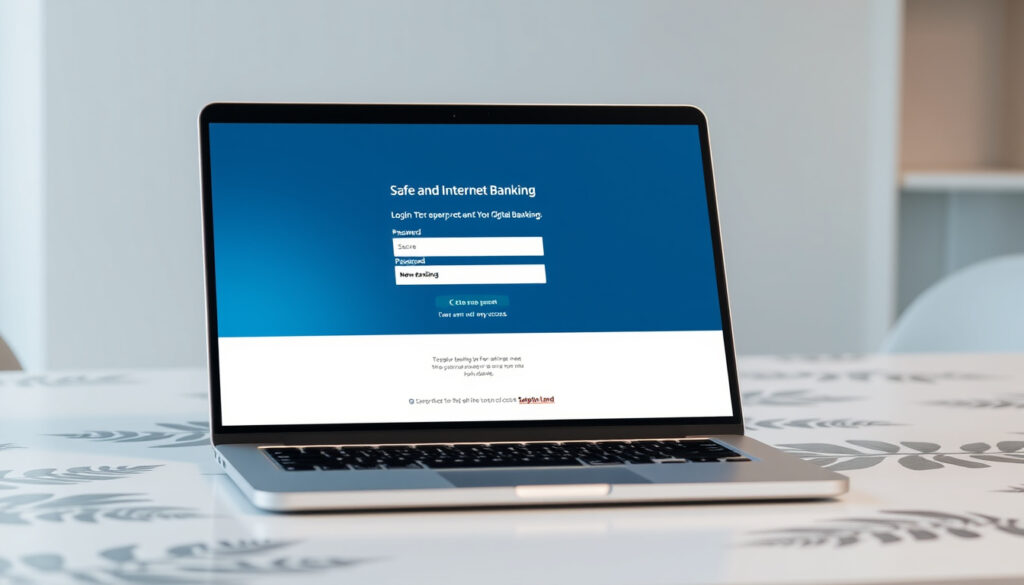
ANZ NZ Internet Banking – Login and Setup Guide
ANZ offers New Zealand customers two complementary channels for managing their finances online: the goMoney mobile app and the Internet Banking portal. Together, these platforms provide access to account balances, money transfers, bill payments, and a range of other banking functions through a secure login system combining passwords, biometrics, and multi-factor verification.
The goMoney app serves as the primary mobile banking tool, optimised for tasks like quick balance checks and on-the-go payments, while the Internet Banking website offers more detailed reporting capabilities for those who prefer desktop access. Both services are available around the clock across New Zealand, with no monthly fees for electronic transactions on eligible accounts.
Understanding how to access and use these services effectively can streamline everyday banking tasks significantly. This guide covers the login process, registration requirements, key features, troubleshooting steps, and security measures that ANZ customers should know about.
How Do I Log Into ANZ NZ Internet Banking?
Web portal and goMoney app login
Transfers, bills, alerts, card management
24/7 access across New Zealand
iOS, Android, and desktop browsers
Key Insights on ANZ NZ Internet Banking
- The 9-digit CRN serves as the primary identifier for all ANZ online banking access, found on card backs, within goMoney Settings, or by calling 0800 269 296.
- Multi-layer authentication combines PIN codes with biometrics including Face ID, fingerprint scanning, and Voice ID for voiceprint verification during phone banking and payments.
- The goMoney app allows instant balance viewing without requiring full login, a feature that can be enabled optionally for quick account checks.
- Dynamic CVV technology on Visa cards generates a new security code every 12 hours, providing enhanced protection for online transactions.
- ANZ provides 24/7 fraud monitoring that analyses device behaviour patterns including typing rhythms, scroll movements, and swipe patterns.
- Password setup within goMoney streamlines web portal access from 2026 onwards, creating a more unified login experience across platforms.
Quick Facts Table
| Feature | Details |
|---|---|
| Primary login identifier | 9-digit CRN number |
| Mobile app name | ANZ goMoney New Zealand |
| Biometric login options | Face ID, fingerprint, Voice ID |
| Dynamic CVV refresh | Every 12 hours |
| Statement archive period | Up to 7 years |
| Minimum registration age | 13 years old |
| Support phone number | 0800 269 296 |
| Account fee structure | No monthly fee for electronic transactions |
Login Methods Explained
For web access, customers navigate to the secure login portal at login.anz.com/internetbanking and enter their 9-digit CRN along with their password. High-value transactions require an additional OnlineCode, which is sent via SMS or push notification.
The goMoney app offers more flexible authentication options. Users can log in using a 4-digit PIN, Face ID, fingerprint recognition, or Voice ID. Those experiencing login difficulties should use the app menu options or contact the dedicated support line available 24 hours daily.
Enable the optional Quick Balance feature in goMoney settings to view account balances without completing the full login process. This is particularly useful for checking available funds before making purchases.
How to Register for ANZ NZ Online Banking
New Customers to ANZ
First-time ANZ customers need to download the goMoney app and complete the registration form directly within the application. The process requires a New Zealand address, valid identification such as a passport or driver licence, and a camera-enabled device for identity verification. Once the form is submitted, users receive a reference number that must be quoted when calling 0800 269 296 to complete activation.
Customers must be at least 13 years old to register for goMoney. The app guides users through each step of the identity verification process, making it straightforward for those with standard New Zealand identification documents.
Existing Internet Banking Users
Customers who already have an ANZ Internet Banking account but want to access it via goMoney simply log in using their existing CRN and password. The system prompts for an OnlineCode verification, after which users can set up a PIN for quick app access.
Switching Devices
When moving to a new phone or tablet, users select the device switching option within goMoney. The process requires CRN and password authentication, followed by OnlineCode verification, and finally entry of the existing PIN to link the new device to the established account.
From 2026, goMoney users can set and manage passwords directly within the app, streamlining the login process for the web portal. This change eliminates the need to maintain separate credentials across platforms.
Key Features of ANZ goMoney and Internet Banking
What is ANZ goMoney?
ANZ goMoney is the bank’s primary mobile banking application designed specifically for New Zealand customers. It functions alongside the Internet Banking website rather than replacing it, with each platform suited to different banking tasks. The app excels at quick actions like checking balances, transferring funds between accounts, and processing mobile payments, while the web portal provides access to more detailed reporting and functions like mortgage modelling.
Core Banking Functions
Both platforms support everyday banking activities without charging monthly fees when transactions occur electronically through the app or ATMs. Key capabilities include instant balance viewing, money transfers between accounts in New Zealand and overseas, bill payments, and management of automatic payment arrangements.
Card management features within goMoney allow users to change PINs, temporarily block cards if misplaced, and monitor transactions through the Card Tracker feature. The dynamic CVV for Visa cards refreshes automatically every 12 hours, adding a layer of security for online shopping.
Push notification alerts keep customers informed about deposits, balance changes, and account activity in real time. Document access enables viewing and downloading of statements and PDF records spanning up to seven years of transaction history.
How to Download the ANZ NZ Banking App
The goMoney app is available under the name “ANZ goMoney New Zealand” in both the App Store for iOS devices and Google Play for Android devices. The app is compatible with devices supporting biometric authentication features.
How to Transfer Money Using ANZ Internet Banking
Money transfers can be initiated through both the goMoney app and Internet Banking website. Users can move funds between their own ANZ accounts, send money to other New Zealand bank accounts, process overseas transfers, and use the Pay to Mobile feature for convenient person-to-person payments. Foreign currency transfers are also supported for customers with multi-currency account needs.
ANZ goMoney supports both Apple Pay and Google Pay, allowing contactless payments at retail terminals and online merchants. This integration works alongside traditional card management features within the app.
Is ANZ NZ Internet Banking Down? Troubleshooting Tips
Checking Service Status
When experiencing difficulties accessing ANZ services, the first step is to verify whether an outage is affecting the platform. The official ANZ website and the goMoney app itself provide real-time status information for customers experiencing issues.
Search results do not indicate any current widespread service interruptions. However, individual connectivity issues can still occur due to device-specific problems, network limitations, or temporary maintenance activities.
Common Login Problems and Solutions
Forgotten login details can be recovered through the app menu or by calling 0800 269 296. International customers can reach support at +64 4 470 3142. The support team assists with CRN retrieval, password resets, and account recovery processes.
Users encountering issues during the registration process should verify their device meets compatibility requirements and that their identification documents are current. The support line can provide guidance for resolving specific registration errors.
Getting Help with Specific Tasks
ANZ provides comprehensive PDF guides covering essential tasks including login procedures, navigation of the home screen, payment processing, and fund transfers. These official resources are accessible through the ANZ website and offer step-by-step instructions for common banking activities.
The official help centre contains detailed guides for registration, task completion, and OnlineCode setup. Customers requiring personalised assistance can speak directly with ANZ staff through the support channels.
Is ANZ Internet Banking Safe? Security and Support
Multi-Layer Security Architecture
ANZ implements multiple authentication layers to protect customer accounts. The login process combines traditional password entry with biometric verification options including Face ID, fingerprint scanning, and Voice ID for voice-based authentication during phone banking and payment authorisations.
The OnlineCode system adds an extra verification step for high-value transactions, sending a one-time code via SMS or push notification. This multi-factor approach significantly reduces the risk of unauthorised account access even if login credentials become compromised.
ANZ advises customers never to share their PIN with anyone, use unique PINs for cards rather than repeating them across accounts, and enable Quick Balance features only on personal devices. These practices help maintain account security across all access channels.
Fraud Detection and Monitoring
Continuous fraud monitoring operates around the clock, analysing device behaviour patterns including typing cadence, scroll movements, and swipe characteristics. This sophisticated system can identify suspicious activity and trigger protective measures automatically.
Automatic lockout protections activate after repeated incorrect PIN entries or extended session timeouts. These safeguards prevent brute-force access attempts and protect accounts left unattended on shared devices.
Dynamic Security Features
The dynamic CVV feature for Visa cards provides enhanced protection for online shopping. Rather than using a static three-digit code, the card generates a new verification number every 12 hours, making captured card details quickly obsolete for fraudulent transactions.
How to Contact ANZ Support
General enquiries and technical support are available by calling 0800 269 296, which operates 24 hours daily. International customers can use +64 4 470 3142 for overseas support. The ANZ website at anz.co.nz provides access to official guides and self-service troubleshooting resources.
ANZ goMoney Evolution Timeline
Understanding the development trajectory of ANZ’s digital banking services provides context for current capabilities and future expectations.
- Initial goMoney launch: ANZ introduced the goMoney app as a mobile banking solution for New Zealand customers seeking on-the-go account access.
- Biometric integration: Face ID and fingerprint authentication were added as login options, reducing reliance on PIN entry while maintaining security.
- Dynamic CVV implementation: Visa card holders gained access to rotating security codes, enhancing protection for online transactions.
- Voice ID expansion: Voice authentication was introduced for phone banking and payment authorisation, adding another biometric verification layer.
- 2026 enhancements: Password setup directly within goMoney streamlines web portal access, creating deeper integration between mobile and desktop platforms.
Current core features including biometrics and dynamic CVV technology remain consistent across updates, with changes focusing on integration and user experience improvements rather than fundamental security changes.
Known Facts vs Common Questions
| Statement | Status | Source |
|---|---|---|
| No monthly fees for electronic transactions on Go accounts | Confirmed | ANZ official website |
| Quick Balance viewing without full login | Confirmed | App features, ANZ documentation |
| Statement archive available for 7 years | Confirmed | App Store and Play Store listings |
| Current widespread service outage | No evidence found | No outage information in recent data |
| goMoney available on iOS and Android | Confirmed | Official app store listings |
| CRN required for all login types | Confirmed | ANZ official documentation |
How ANZ NZ Internet Banking Fits Your Needs
ANZ’s dual-channel approach to online banking serves different customer preferences effectively. The goMoney app excels for users who prioritise convenience and speed, offering instant balance checks, streamlined transfers, and biometric authentication for rapid access. The Internet Banking website appeals to those who prefer desktop-based activities or need access to more detailed financial reporting tools like mortgage modelling.
The absence of monthly fees for electronic transactions makes both platforms accessible for cost-conscious customers. Combined with comprehensive security features and 24/7 availability, ANZ’s digital banking infrastructure represents a practical option for New Zealanders seeking reliable online financial management.
Official Sources and Information
“goMoney supports login via 4-digit PIN, Face ID, fingerprint, or Voice ID (biometric voiceprint for phone banking and payments).”
— ANZ New Zealand official documentation
“The goMoney app and Internet Banking support everyday banking without monthly fees if done electronically (e.g., app, ATMs).”
— ANZ Go Account information page
For the most current information on features, security measures, and service updates, ANZ encourages customers to consult the official goMoney page at anz.co.nz/banking-with-anz/ways-to-bank/gomoney/ and the comprehensive internet banking guides available through the help centre.
Summary: Managing Your ANZ Banking in New Zealand
ANZ provides New Zealand customers with a robust digital banking ecosystem through goMoney and Internet Banking. The mobile app handles everyday tasks efficiently with biometric security, while the web portal offers expanded reporting capabilities. Registration requires a New Zealand address and valid identification, with activation completed via phone support. Security measures including multi-factor authentication, dynamic CVV, and continuous fraud monitoring help protect customer accounts around the clock. For those opening new accounts or seeking to understand their banking options, exploring Open Bank Account Online NZ – Steps, Documents and Banks may provide helpful additional context.
Frequently Asked Questions
What is the CRN number for ANZ internet banking?
The CRN is a 9-digit customer registration number that serves as your primary identifier for ANZ online banking. It can be found on the back of your ANZ card, within goMoney app settings, or by calling 0800 269 296.
Can I use ANZ goMoney on multiple devices?
Yes, you can access goMoney on multiple devices, but the device switching process requires CRN and password authentication, followed by OnlineCode verification and entry of your existing PIN to link each new device.
Is ANZ internet banking free to use?
Go accounts do not charge monthly fees when transactions are performed electronically through the app or ATMs. Standard account fees may apply for other account types.
What should I do if I forget my ANZ login password?
Use the password recovery options in the goMoney app menu or call 0800 269 296 (or +64 4 470 3142 from overseas) for assistance with forgotten credentials.
Does ANZ goMoney support Apple Pay and Google Pay?
Yes, both Apple Pay and Google Pay are integrated with goMoney, allowing contactless payments at retail locations and online merchants.
How does the dynamic CVV work?
The dynamic CVV for ANZ Visa cards automatically generates a new security code every 12 hours. This rotating code enhances security for online shopping by making captured card details quickly obsolete.
What identification do I need to register for ANZ online banking?
New customers need a valid New Zealand passport or driver licence, a New Zealand residential address, and a camera-enabled device to complete the identity verification process within goMoney.
How do I contact ANZ for internet banking support?
Support is available 24 hours daily by calling 0800 269 296 within New Zealand or +64 4 470 3142 from overseas. Online resources are available at anz.co.nz/banking-with-anz/ways-to-bank/guides.
More related posts
 How to Use Google Forms Quiz: Step-by-Step Guide (2025)
 What Does In Transit Mean – Package Status Across Carriers
 Call Me by Your Name: Plot, Age Gap and Meaning Explained
 Car Dealers Near Me: Used & New Options in Ireland
 Chainsaw Man Season 2 – Official Announcement and Key Details
 ANZ NZ Internet Banking – goMoney Login, Features and Guide
 What Does It Mean? Grammar, IT, Emojis & Slang Explained
 What Is Your Body Lacking When You Get Boils? Key Deficiencies