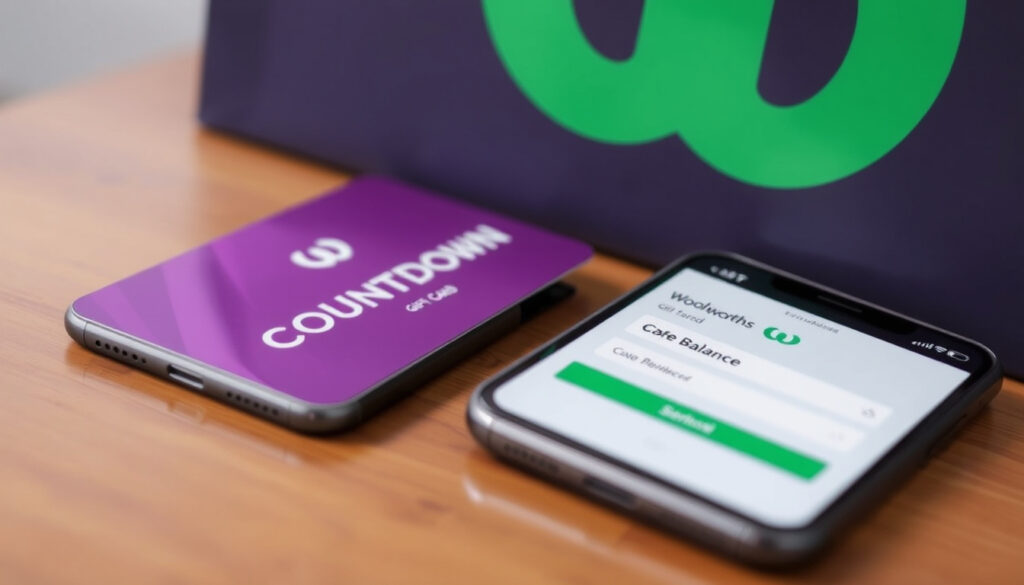
How to Check Countdown Gift Card Balance Online | Woolworths NZ
You’ve got a Countdown gift card tucked away in your wallet, and you’re wondering how much is left on it. Here’s exactly how to find out your balance online, by phone, or in-store – and what to do if things don’t go as planned.
Official balance website: balance.countdowngiftcards.co.nz · Phone support: 0800 40 40 40 · Card denominations: $50 and $100 · Card issuer: Woolworths New Zealand (formerly Countdown) · Expiry check: Available on the balance website
Quick snapshot
- Balance can be checked online at balance.countdowngiftcards.co.nz (Woolworths NZ – official gift card page)
- Phone support is available 24/7 on 0800 40 40 40 (Woolworths NZ – official gift card page)
- Cards are accepted at all Woolworths NZ stores (Prezzee NZ – third‑party retailer listing)
- Whether all cards have an expiry date (Gift Station cards may vary)
- Lost card recovery process (depends on purchase proof)
- Exact terms for eGift cards
- Countdown was rebranded to Woolworths NZ in 2023 (Woolworths NZ – about us page)
- The balance‑check URL still uses the Countdown name (Woolworths NZ – about us page)
- Online balance check remains the fastest method
- In‑store use requires scanning the barcode or entering the 13‑digit card number plus PIN (according to a third‑party directory)
Five key facts, one pattern: the quickest way to check your balance is online, but phone and in‑store options exist for those who prefer them.
| Detail | Value |
|---|---|
| Official balance website | balance.countdowngiftcards.co.nz |
| Phone number for balance | 0800 40 40 40 |
| Card denominations | $50 and $100 |
| Accepted at | All Woolworths New Zealand stores |
| Expiry policy | Most cards expire 12 months after purchase |
How to Check Countdown Gift Card Balance Online
Step‑by‑step online balance check
- Visit balance.countdowngiftcards.co.nz – the official balance portal (directed by Woolworths NZ – official gift card page)
- Enter the 19‑digit card number and the 4‑digit PIN found on the back of the card
- Your balance and expiry date will appear on screen instantly
No app download is needed – the website works on any device with a browser. The same page also shows your last transactions, so you can see exactly where your money went.
What to do if the balance page doesn’t load
- Double‑check you typed the URL correctly: balance.countdowngiftcards.co.nz
- Try a different browser or clear your cache
- If the site is down, call 0800 40 40 40 instead (the phone system is separate and usually unaffected)
The online check is the only method that shows both the balance and the expiry date together. If you rely on the in‑store swipe, you won’t see the expiry date until you check the receipt.
Bottom line: The online balance portal is the most complete tool for Countdown gift card holders. For anyone who wants a quick snapshot, it’s the recommended first stop.
The pattern is clear: the online portal removes guesswork by consolidating balance and expiry in one place.
How to Use a Countdown Gift Card in Store
Using the card at Woolworths supermarkets
- Countdown gift cards are accepted at all Woolworths NZ stores (Prezzee NZ – third‑party retailer listing)
- Swipe the card at the checkout like a debit card, or scan the barcode if you have a digital version
- You can also ask the cashier to check the balance for you – no PIN is required for an in‑store balance inquiry
If you’re using a Woolworths NZ gift card (the rebranded version), the same rules apply. The card works the same way as the old Countdown card.
Can you use the card at other retailers?
- No – Countdown/Woolworths gift cards are only valid at Woolworths NZ supermarkets (Prezzee NZ – third‑party retailer listing)
- Some third‑party resellers may offer them for other stores, but the standard Countdown card is restricted to the chain
In‑store balance checks don’t show the expiry date – you’ll only see the remaining amount. If you need to know the expiry, use the online portal or call the phone line.
Bottom line: Countdown gift cards are straightforward to use in Woolworths NZ stores. For shoppers who want to avoid surprises, check the balance online before you head to the checkout.
The implication: an in-store check is convenient but incomplete for expiry-aware users.
How to Check Countdown Gift Card Balance by Phone
Call the 0800 number
- Dial 0800 40 40 40 – the automated balance line is available 24 hours a day, 7 days a week (Woolworths NZ – official gift card page)
- Have your card number and 4‑digit PIN ready before you call
- The system will tell you the current balance and the last few transactions
This method is useful if you don’t have internet access or if the online portal is temporarily down. The phone line is automated, so you don’t need to speak to a person.
What information do you need?
- The 19‑digit card number (printed on the front of the card)
- The 4‑digit PIN (on the back, often under a scratch panel)
- No personal details – the system only checks the card itself
If you’ve lost the card, the phone system won’t help – you’ll need to contact Woolworths customer service with proof of purchase.
The phone line is automated, but it may not be able to handle complex queries. If you need to report a lost card or dispute a transaction, you’ll need to speak to a human – call the same number and follow the prompts.
Bottom line: The phone line is a reliable backup for balance checks. For anyone without internet access, it’s a solid alternative – but it won’t show the expiry date.
The catch: the phone system leaves out expiry information, which could lead to lost funds.
How to Check Woolworths (formerly Countdown) Gift Card Balance
Differences between Countdown and Woolworths cards
- Countdown was rebranded to Woolworths NZ in 2023 (Woolworths NZ – about us page)
- Old Countdown gift cards still work – they are treated the same as Woolworths cards
- The balance‑check website still uses the Countdown brand name (balance.countdowngiftcards.co.nz) – this is a legacy URL that will likely be updated in the future
If you have a card that says “Woolworths NZ” on the front, you can use the same balance website and phone number. No separate process is needed.
Checking balance on the Woolworths website
- You can also check your balance through your Woolworths online account, if you have one (Woolworths NZ – official gift card page)
- The Woolworths NZ app (available on Apple App Store – Woolworths NZ app listing) lets you track rewards and points, but not gift card balances directly
- For the gift card balance, the dedicated portal is the most reliable
The Countdown‑to‑Woolworths rebrand hasn’t changed how the cards work. If you’re searching for “Woolworths gift card balance NZ”, the same website and phone number apply – just remember the URL still says Countdown.
Bottom line: The rebranding is cosmetic – the card itself and the balance‑check process are identical. For anyone who bought a Woolworths card after the change, the steps are exactly the same as for the old Countdown cards.
The pattern: the brand name changes but the system remains unchanged.
How to Check Expiry Date on a Countdown Gift Card
Where to find the expiry date
- The expiry date is displayed on the balance website after you check your balance (Woolworths NZ – official gift card page)
- You can also ask at the checkout, but the cashier may not always be able to see the expiry date
- There is no way to check the expiry date by phone – the automated system only shows the balance
Most Countdown gift cards expire 12 months from the date of purchase. Some cards, especially those issued by Gift Station, may have different expiry terms – check the terms and conditions that came with the card.
Do all Countdown gift cards expire?
- Most cards have an expiry date, but some promotional cards may have different rules
- Gift Station cards (often sold through corporate partners) may have longer or shorter expiry periods (Woolworths NZ – official gift card page directs to the balance portal for specific card terms)
- If you’re unsure, check the card packaging or the balance website – it will show the exact expiry date for your card
The online portal is the only place that shows the expiry date automatically. If you only check by phone, you might miss the deadline and lose the remaining balance. For anyone who holds a card for more than a few months, an online check is strongly recommended.
Bottom line: For cardholders, expiry dates are easy to miss if you rely on phone checks. The online portal gives you the full picture – balance and expiry – in one go.
The consequence: failing to check expiry online risks losing the unused balance.
What we know for sure – and what’s still unclear
Confirmed facts
- Balance can be checked online via the official website (Woolworths NZ – official gift card page)
- Phone support is available 24/7 on 0800 40 40 40 (Woolworths NZ – official gift card page)
- Cards are accepted at all Woolworths NZ stores (Prezzee NZ – third‑party retailer listing)
- In‑store use requires the 13‑digit card number and PIN (according to a third‑party directory)
- The Woolworths NZ app tracks rewards but not gift card balances (Apple App Store – Woolworths NZ app listing)
What’s unclear
- Whether all cards have an expiry date (Gift Station cards may vary)
- Lost card recovery process – depends on proof of purchase, and no official policy is publicly listed
- Exact terms for eGift cards – the website covers physical cards, but digital gift cards may have different conditions
- Whether the balance website will be updated to Woolworths branding
- Whether Gift Station cards have the same expiry policy as standard cards
“You can check your Woolworths Gift Card’s transaction history and card balance by visiting the Website, or calling 0800 40 40 40.”
— Woolworths Gift Card terms and conditions (Woolworths NZ – official gift card page)
“Countdown gift cards are redeemable in‑store at Woolworths/Countdown supermarkets.”
— Prezzee NZ (Prezzee NZ – third‑party retailer listing)
For anyone holding a Countdown gift card, the choice is clear: check your balance online before heading to the store, or risk being caught short at the checkout. If you’ve already used the card in store, the online portal is the only way to see the full history and expiry date – and that’s information you don’t want to lose.
youtube.com, thegiftcardshop.com, help.prezzee.com.au, everyday.com.au, giftstation.co.nz, squareup.com, tiktok.com, ongoody.com
Frequently asked questions
Can I check my Countdown gift card balance without the card?
No – you need the 19‑digit card number and the 4‑digit PIN. Without those, the online portal and phone system cannot look up the balance. If you’ve lost the card, you’ll need the original purchase receipt to contact Woolworths customer service.
What should I do if my Countdown gift card is lost or stolen?
Contact Woolworths NZ customer service as soon as possible. If you have proof of purchase (the receipt or email confirmation), they may be able to freeze the balance and reissue the card. Without proof, recovery is unlikely.
Are there any fees to check my balance?
No – checking your balance online, by phone, or in store is free. There are no service fees for balance inquiries.
Can I reload my Countdown gift card?
No – Countdown gift cards are not reloadable. Once the balance is used, the card is no longer valid.
Can I use my Countdown gift card online at Woolworths?
No – Countdown gift cards are redeemable in‑store only. They cannot be used for online purchases on the Woolworths website.
How do I check the balance on a Gift Station Countdown card?
Gift Station cards are a third‑party product. You can check the balance on the same official website (balance.countdowngiftcards.co.nz) if the card is a standard Countdown card. If it’s a different Gift Station product, check the terms on the card itself.
What happens if my Countdown gift card expires with a remaining balance?
Once the card expires, the remaining balance is forfeited. Woolworths NZ does not refund or extend expired cards. Check the expiry date online before it’s too late.
Related reading: Woolworths Mailer This Week · Pak n Save Tauranga: Hours, Specials & Ownership
More related posts
 Investment vs Lotto Odds: Which Builds Real Wealth
 Flights Melbourne to Auckland: Airlines, Times & Cheap Fares
 Best Sticky Date Pudding Recipe: 5 Iconic Variations Compared
 Jetstar Wellington to Auckland: Flight Time, Fares & Reliability
 How Much Can I Borrow NZ – 2025 Mortgage Calculator Guide
 When Does Lent End? Catholic, Orthodox Dates Explained
 Bread and Butter Pickles: Easy Recipe, History & Differences
 225 USD to NZD – Convert US Dollars to New Zealand Dollars